Why training in IT/information security?
IT security is not a specialised task, but a shared responsibility. When IT and information security are practised as a matter of course, everyone benefits: companies, customers and partners alike.
Our basic course on IT/information security clearly shows where attention is needed – whether in visitor management, mobile working or the secure handling of emails. This not only raises awareness of current threats, but above all enables participants to implement effective protective measures directly.
Contents of IT/information security employee training
Subject overview
Module 1: Security in the workplace
This module outlines measures that employees can take to contribute to information security – for example, by using secure passwords or dealing appropriately with unknown individuals in the office.Module 2: Security when working on the move
This module explains what to look out for when working in public environments and networks, for example when using public Wi-Fi connections or protecting yourself against shoulder surfing.Module 3: Social Engineering
This module describes how social engineering methods work, for example through calls from alleged IT staff, and shows how you can effectively protect yourself against them.Module 4: Phishing and emails
This section teaches the typical characteristics of suspicious emails, points out unusual attachments, and explains how to respond appropriately in suspicious cases.
All modules include approximately 4-minute learning videos as well as interactive exercises and quizzes. After passing the final exam, participants receive a certificate of attendance.
demonstration video
Advantages of e-learning over live training
- Affordable
- Flexible working hours for employees thanks to the option to take breaks
- High learning success through interaction and final test
- Expensive, partly due to extra travel costs
- Catch-up appointments usually necessary when employees have been absent
- Shorter attention span in frontal teaching

How our course is rated
Most participants are impressed by the quality of the course content and rate it as ‘good’.
The comprehensibility is particularly impressive: 91% rate the content as ‘very comprehensible’ or ‘well comprehensible’.
Our IT/information security course therefore delivers exactly what it promises: clearly presented beginner's knowledge that your employees can confidently apply in their everyday work.
As of: 03.09.2025
How e-learning works
with WhiteRaven
Personalised quote
After submitting your enquiry, you will receive a customised quote for your company. This quote will be tailored to your company's needs as closely as possible – if something does not suit your requirements, please contact us!

Onboarding
Once the contract has been signed, the onboarding process begins. You provide us with a list of all employees who are to receive IT/information security training. We enter this information into our WhiteRaven tool, and the employees are then notified that their e-learning course is available.

Conducting the training
Your company's employees can now complete their training independently and flexibly – when it suits their schedule and at their own pace. After successfully passing the final test, each participant will receive a certificate of attendance!

Final check
WhiteRaven has a so-called trainer role. This allows HR managers or data protection officers to see at a glance who has already completed the training and who may need a quick reminder.

Target Audience
The training is aimed at company employees and can be booked for individuals or entire workforces. It helps employees who work at a PC workstation to comply with basic security measures.
No prior knowledge is required. The training efficiently raises employee awareness of IT and information security.
Your contact persons
for questions and individual quotes
Postler LL.M.Managing Director MKM Datenschutz GmbH

Hofmann CarvalhoManaging Director MKM Compliance GmbH
This is what White Raven looks like
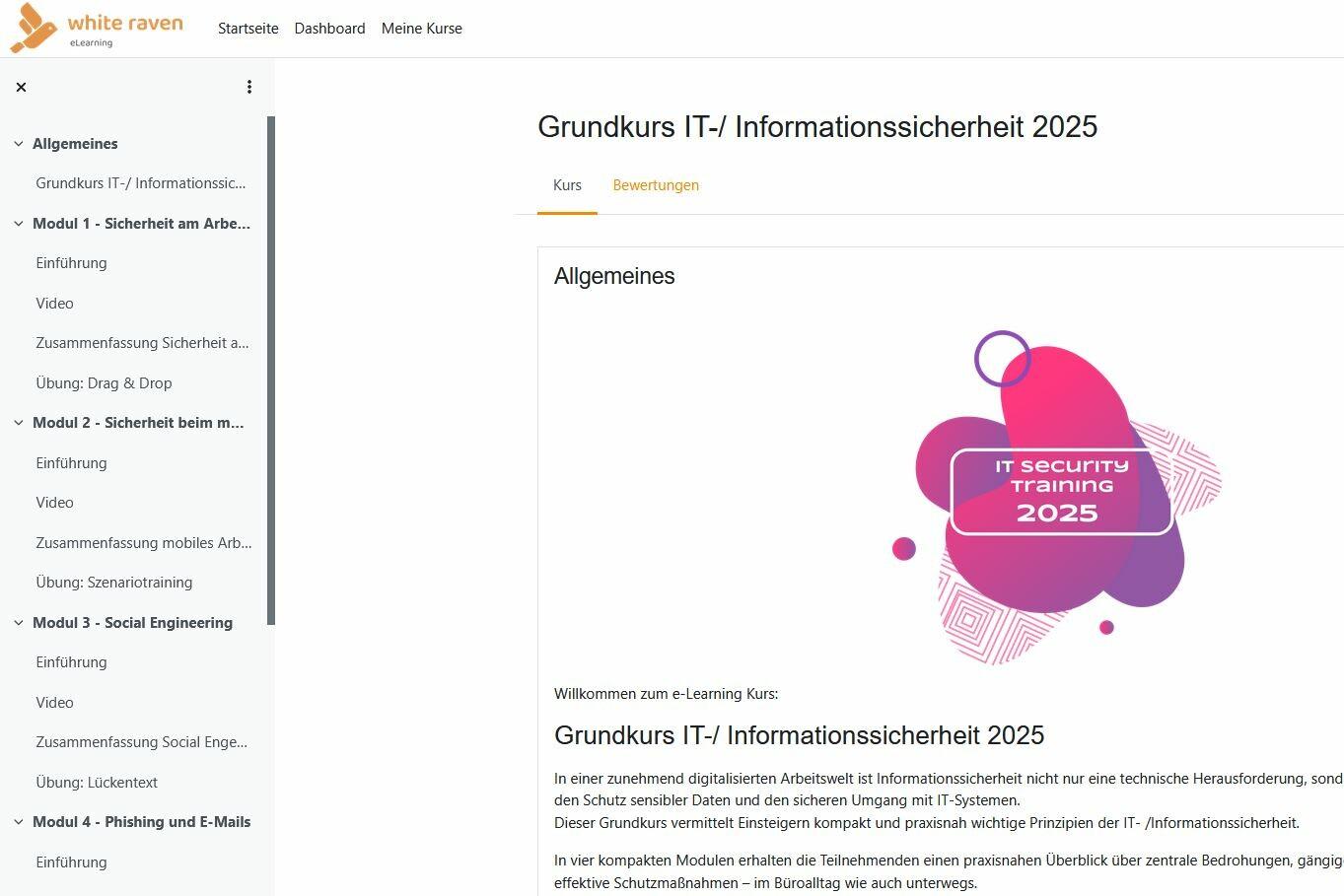
Module overview
The practical module overview allows participants to see at a glance where they are currently located. This enables them to return to a specific topic at a later date to review the material.

Explanatory videos
Each module includes an explanatory video. The content of the video is also available in text form, allowing participants to decide for themselves which learning method suits them best.
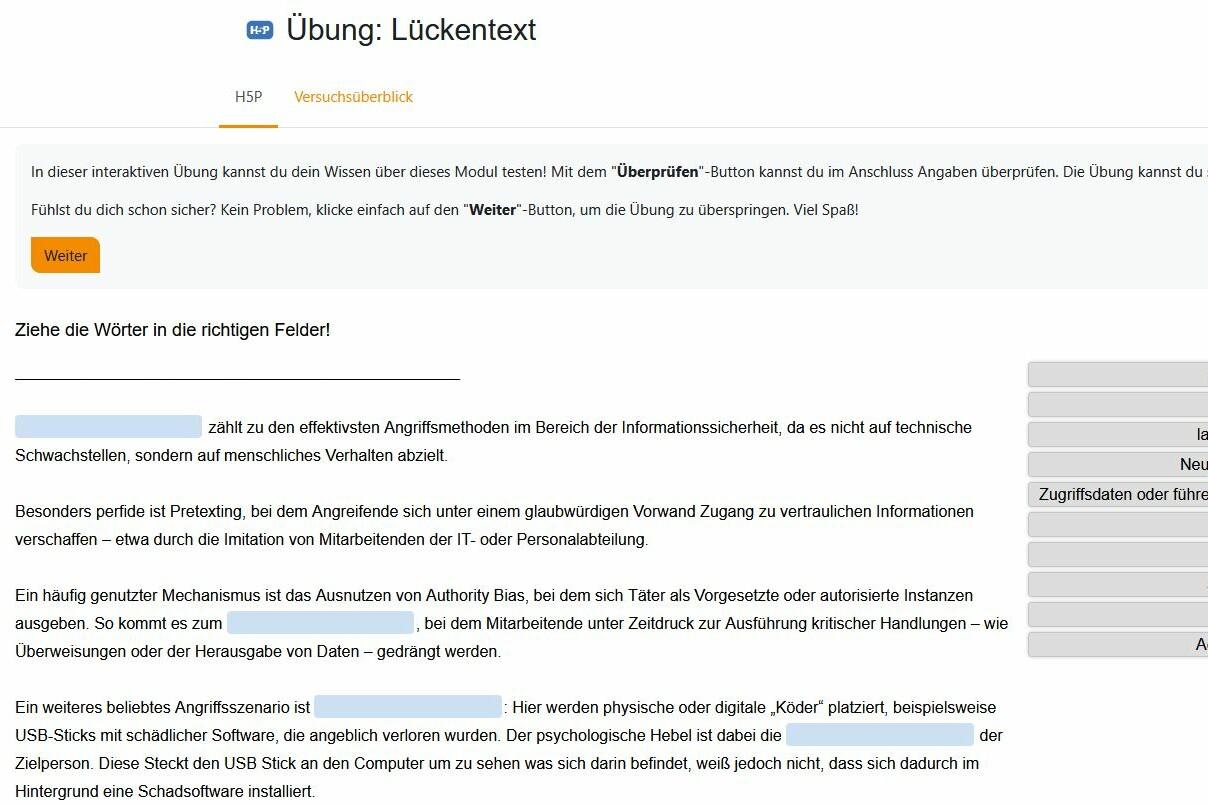
Interactive exercises
Each module contains one or more interactive exercises to test and consolidate knowledge: cloze tests, drag & drop, multiple choice and much more.

Further e-learning courses
Take a look at our complete eLearning offering. It is also expanded regularly!